Showing posts with label youtube. Show all posts

Saturday, August 25, 2012

New Artbooks!


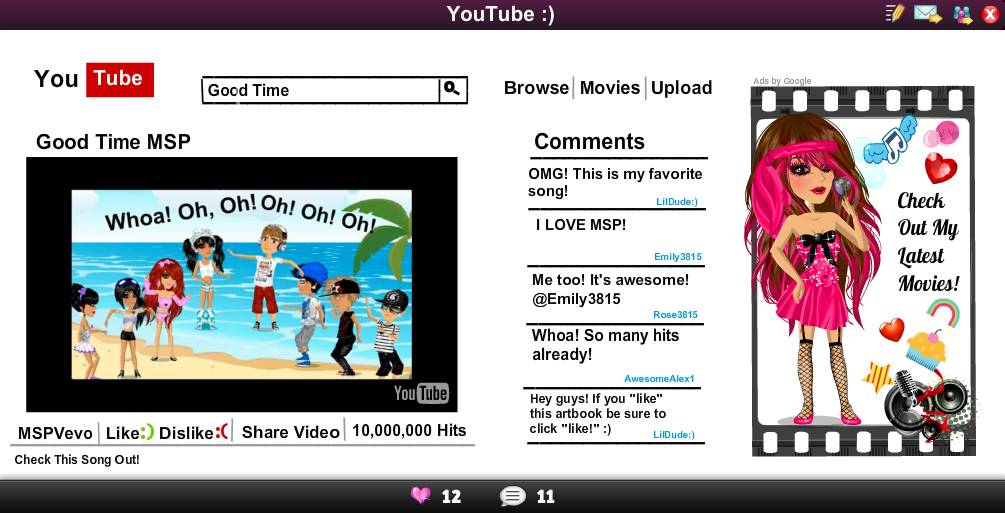
Hey guys! I made a new artbook, and it took me FOREVER lol :P

Anyways... my new goal is to get this to top pages! It would really make me happy :)

So check it out, Like it up, and thanks! :)

Oh, and also, check out Emily's new MSPBeat artbook! :)


It has information on how you could be on the MSPBeat Video! :D

Make sure you check it out too! ;)

Thanks for reading our blogs and supporting us! :)

-Lil'

Thursday, August 23, 2012

Wednesday, August 22, 2012

Artbook Tutorial :)

Okay, so here's a tutorial on how to make an artbook! :) I remember I had a hard time figuring out how to make one when I started out xD
  • The arrow on the right side of the artbook is where you can get to all the selections below.


  • How to change the artbook's background:


  • How to add people to your artbook:


  • How to add text to an artbook:


  • How to add a Youtube video to your artbook:


  • To save your artbook, first click the save button on the upper right hand side.


Hope this helps! :)

Em out~

Thursday, July 19, 2012

MSP Beat Video Coming Soon!

I've not been able to post much today because I've been making a video for the Blog and been busy with my friend.

Well, I know you're going to ask if you can be in the video, so the answer is yes! I need people in my video saying MSP Beat! It can be in your status, your artbook, whatever you want! Just make sure you have it somewhere, lol. Please email me at Emily3815@gmail.com a picture of your MSP character with MSP Beat somewhere by them, or message me. Thank you!

Stay tuned in for the video!

Em out~

Tuesday, July 17, 2012

Artbook Help

A lot of people get confused about how to make artbooks. Here's how to change the writing and to add Youtube videos!

  • How to change the text color, font, or size
  1. Go to the right side and click the blue arrow that points to the left.
  2. Click "text". It should scroll down to show the text boxes.
  3. Select the text you want by clicking on it.
  4. There should be a blue oval with a flashing black line somewhere on your artbook. If it isn't there, then keep clicking the text box you want until you see it. It's a little hard to find, but keep trying.
  5. Once you're found the text box on your artbook, click on it and write something in it so you know where it is.
  6. Click the blue arrow from step one to close the side.
  7. Click on the text. A square with colors should show up and different kinds of fonts. Click what font or color you want the text to be.
  8. To change the size of your text, then Click on the blue squares on the outside of the text and (while holding the clicker) drag it in and out to make your text smaller or bigger.

  • How to add a Youtube video to your artbook/ make a playlist
  1. Click on the Youtube button in the top right corner or in Movietown.
  2. Go to the video you want to add.
  3. Make sure the video is in its normal size so you can see the comments. On the top right corner of the video is a yellow + sign. Click this. It might take a few seconds, but it will say "Video Added to Playlist."
  4. Go back to your artbook and click on the blue arrow in the corner. Click Youtube, then select your video. You can only add one video per artbook, sadly.

Hope this helps! If you have any ideas, questions, or concerns please leave a comment.

Em out~

Epic Harry Potter Videos


He's saying "trolololol".The meme comic Trollface says that. 


This is a classic!


This is my favorite XD


Hope you had a laugh!
Em out~

Monday, July 16, 2012

Blog News! ^.^ (Updated)

  • Thanks to monsterhighgal for putting me in her Youtube video ^ I appear in it twice and my lines are "now I've got my heart in motion". Thanks so much!
  • Yayy we have over 500 hits and it's only my second day! You can see hits at the bottom :)
  • I made a new Rules page. You can see that at the top! ^
  • I would like to thank Young_Nikki for supporting the blog and for being our first follower! She wrote articles about my blog here  and here! You are awesome sauce! :) 
  • Make sure you vote on your favorite moviestar at the bottom! Only 14 more days left!
  • All negative comments shall be deleted to end the headaches of the blog's supporters.
  • Make sure you subscribe to the Blog to get all the latest posts! 
  • I added a new picture of me and my birde to the About Me page! See it here. :)
Em out~

More stuff coming! Stay tuned! :)